

IGX Studio
EN
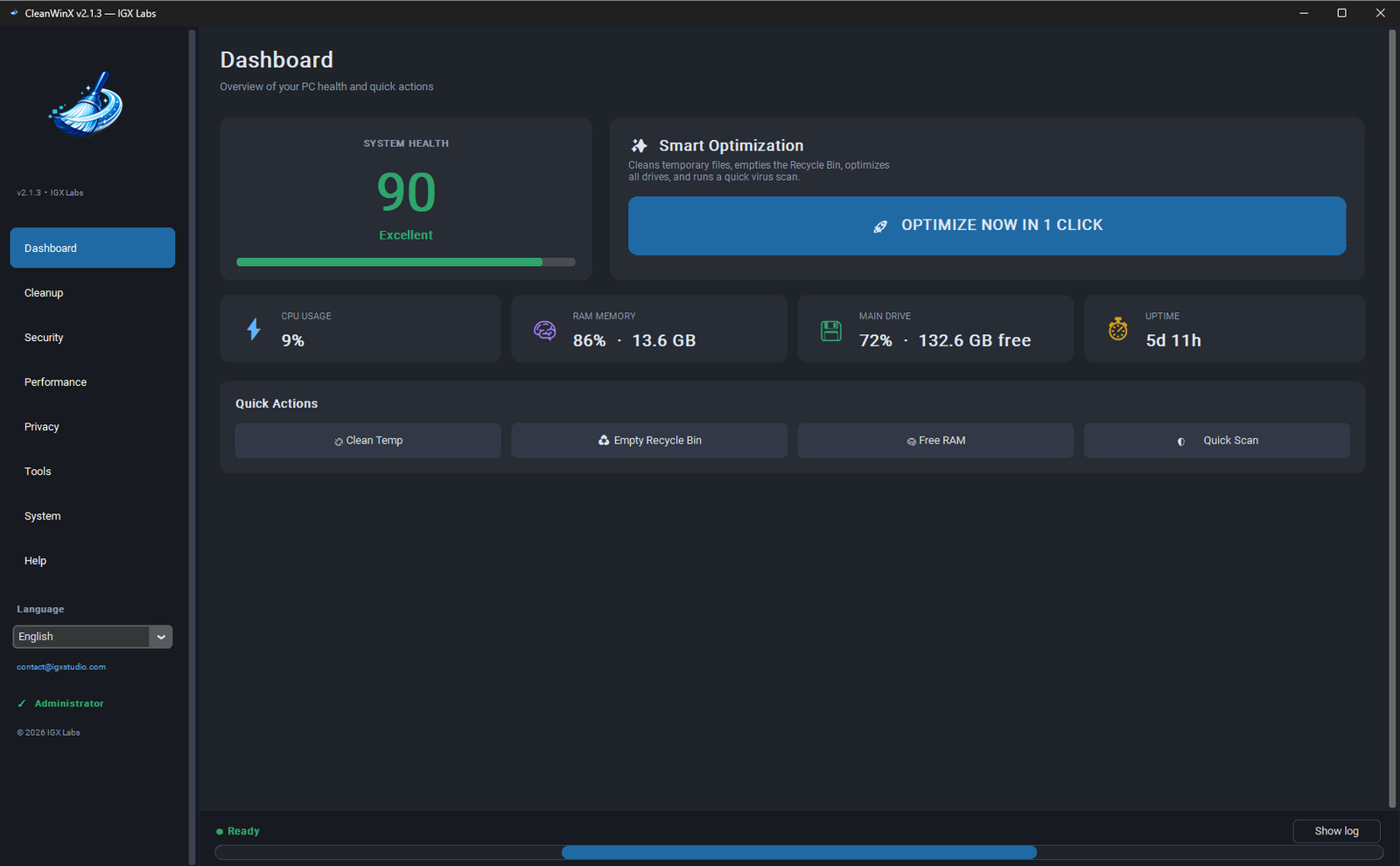
Illustrative CleanWinX interface
One-time purchase

Windows · One-time payment

CleanWinX

Clean, optimize and repair Windows 10 or 11 with one portable tool — no installation and no subscription.

Windows cleaningPC optimizationComputer maintenance
System
Windows 10, Windows 11
Availability
No subscription
Buy nowView features
Problem and solution

What CleanWinX is designed to do

CleanWinX is a portable Windows maintenance and optimization utility that brings cleaning, performance, privacy, security and system repair into one simple interface. It helps remove temporary files and browser caches, free disk space, manage startup programs, optimize SSDs and HDDs, free memory, repair Windows and run Microsoft Defender scans.

Who it is for

Home usersSelf-employed professionalsSmall officesComputer technicians

Key points

  • Complete one-click optimization
  • Portable: no installation required
  • One-time payment with no subscription
  • License linked locally to the computer
Features

Explore CleanWinX

The features below describe the current product direction. Final availability will be confirmed before release.

Clean in a few clicks

Remove temporary files, empty the Recycle Bin and clear major browser caches.
Prepare your PC for daily use

Manage startup apps, free RAM and select a suitable power plan.

Repair Windows

Access SFC, DISM, network reset, Winsock and TCP/IP from an organized interface.

Optimize SSD and HDD

Run TRIM for SSDs and defragmentation for compatible hard drives.

Clear privacy traces

Remove recent traces and DNS cache without searching across Windows settings.

Integrated security tools

Update and run Microsoft Defender scans and access Windows Update.

Compatibility

Check before installation

Operating system

Windows 10, Windows 11

Compatibility

Windows 10, Windows 11, SSD and HDD

Requirements

What you will need

  • Windows 10 or Windows 11
  • Native Windows features available for their respective actions
Frequently asked questions

Questions about CleanWinX

Does CleanWinX work on Windows 10 and Windows 11?
Yes. CleanWinX is designed for computers running Windows 10 or Windows 11.
Do I need to install CleanWinX?
No. CleanWinX is portable and runs without a traditional installation process.
Does CleanWinX require a subscription?
No. The license is purchased through a one-time payment with no recurring monthly charge.
How does the license work?
On first run, the license is linked locally to the computer. The machine identifier is not sent over the internet.
Does CleanWinX replace antivirus software?
No. It can update and run Microsoft Defender scans, but it does not replace dedicated antivirus software, technical support or a hardware upgrade.
Can I use it with an SSD or HDD?
Yes. CleanWinX provides TRIM for SSDs and defragmentation for HDDs, using the appropriate action for each drive type.
Keep exploring

Related software

ProductivitySubscription

FileCore

Software for organizing digital files and simplifying recurring Windows tasks.

File organizationProductivityWindows
Learn more

Ready to use CleanWinX?

Clean, optimize and repair Windows 10 or 11 with one portable tool — no installation and no subscription.

Buy now